The game engine that connects you and an AI agent.
Not AI vs. you — AI and you. The agent builds and verifies your game by data; you shape the look and feel by hand in a Unity-like visual editor — and because it sees everything you do there, the two of you stay in sync. One TypeScript codebase ships to iOS, Android, and web.
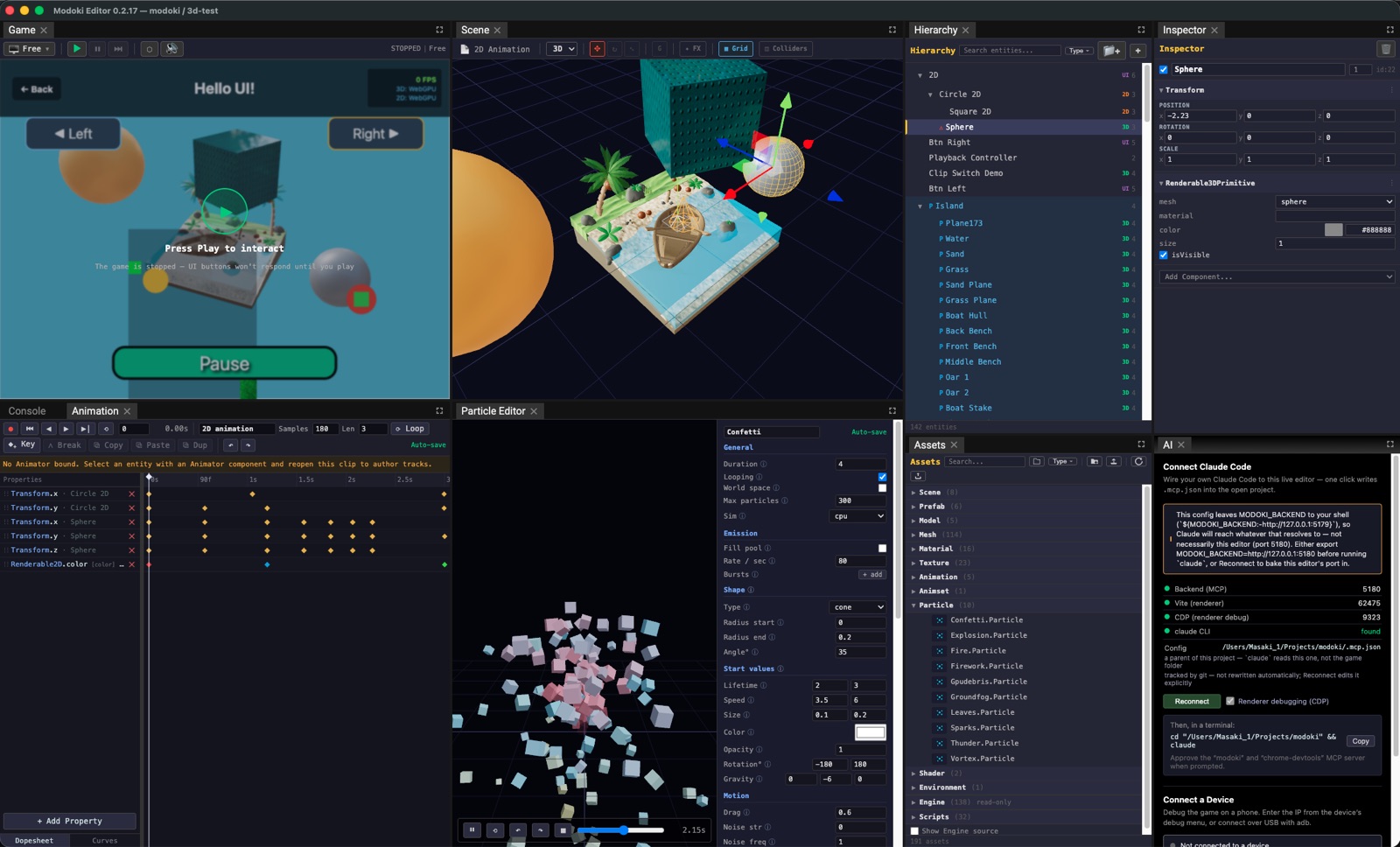
Two ways to build. One tool.
An AI agent and you, each doing what you do best — in the same editor, always in sync.
AI-driven development
Anything you can see, the agent can read. Anything you can do, the agent can do — all by structured data, never screenshots.
- Sees everything — Percept. Full read access to the running game and the editor — every entity, trait, layout box, and event. Three modes: Snapshot (state now), Journal (tick-stamped history), Watch (live changes).
- Does everything — Enact. The same actions you take by hand: select, transform, edit traits, author assets, even drag on-canvas handles — bones, keyframes, collider vertices. Aimed by selector, resolved in-editor.
- Proves it works — deterministic harness. Runs the game headlessly on a seeded clock and asserts logic against the event journal. Proof, not vibes.
A visual editor for the human touch
When it's faster to just do it yourself, a Unity-like editor is right there.
- A familiar workspace. Hierarchy, Inspector, SceneView / GameView, transform gizmos, undo/redo — dockable panels you already know.
- Dedicated asset editors. Animation curves, particles, sprite slicing — shape the look and feel by hand.
- It sees your edits. Every change you make is recorded and attributed to you, so the agent can read exactly what you did and pick up from there.
The bridge: the agent sees what you do in the editor — so it's never AI or you. It's both, paired.
A complete engine underneath.
2D and 3D, physics, animation, monetization — production-grade systems, all in one TypeScript codebase.
Rendering — 2D, 3D & UI
PixiJS for 2D, Three.js / WebGPU for 3D, React DOM for UI — composited per-entity in one scene. Plus NPR / toon outline and HDR image-based lighting.
Physics — 2D and 3D
Rapier-powered rigid bodies, joints, character controllers, and scene queries — first-class in both 2D and 3D.
Animation & skinning
Keyframe curves with a dopesheet, 3D skeletal rigs with hand-posable bones, and 2D sprite skinning — all live-previewed.
Particles
Author effects in a live editor — CPU and GPU-compute backends in 3D, PixiJS in 2D, sharing one schema.
Timeline & audio
A data-authored cutscene sequencer (animation, signal, audio, activation tracks) and a Web Audio subsystem with declarative cues.
ECS · Prefabs · Scenes
Data-oriented koota ECS with auto-generated inspectors, prefabs with structural overrides, and atomic two-world scene swaps.
Asset pipeline
Import and convert textures (KTX2 / WebP), models (GLB → LOD), and audio — all addressed by stable GUIDs, never file paths.
Ship anywhere
One TypeScript codebase to Web, iOS, and Android (Capacitor). Ads (AppLovin + playable-ad export), attribution (Adjust), and analytics & crash reporting (Firebase) — built in.
Also: UI system · SDF text · Zones · Input & character controllers · PlayerPrefs · custom shaders · deterministic test harness · in-game debug menu.
Learn the editor.
Guides for each part of the Modoki editor — illustrated with screenshots from the real app. Click any guide to read it.
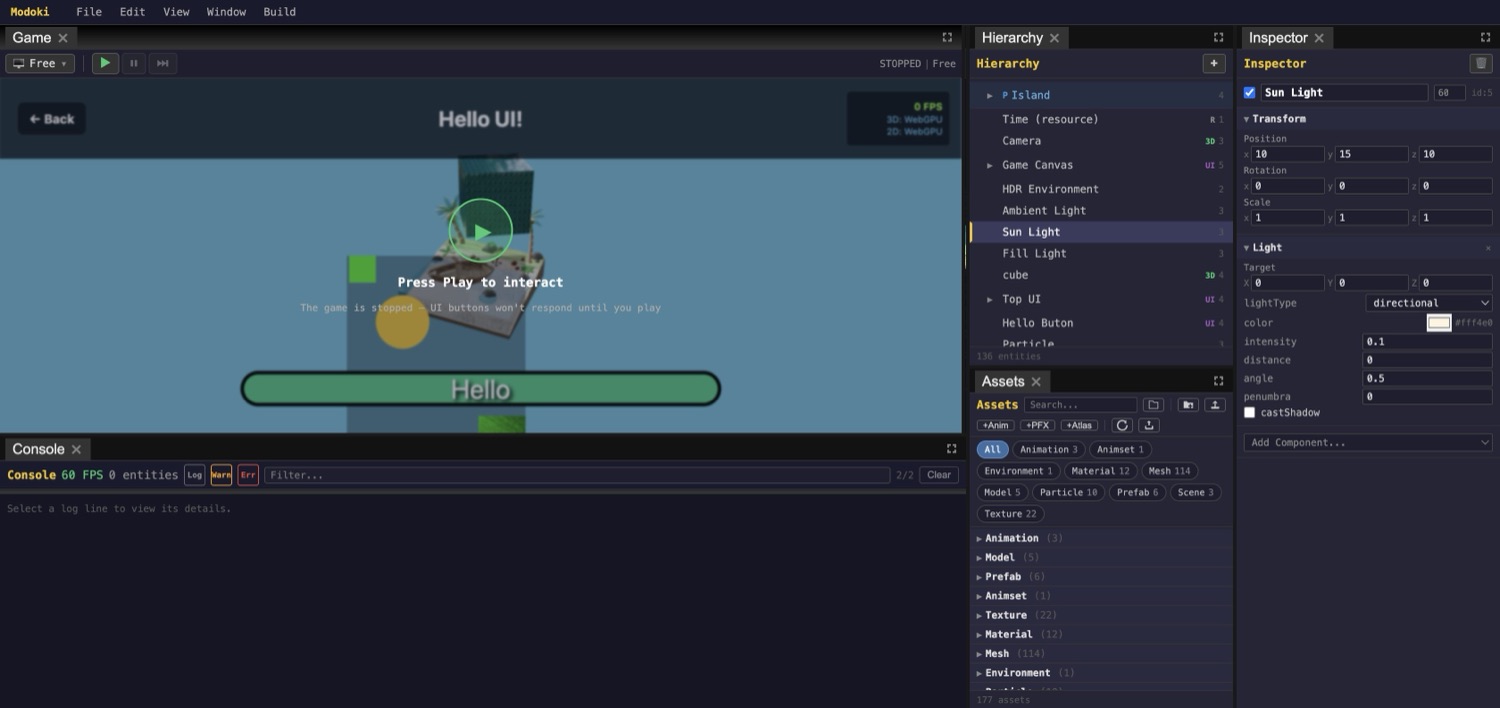
Hierarchy & Inspector
Entities, traits, and the ECS model — live, undoable property editing.
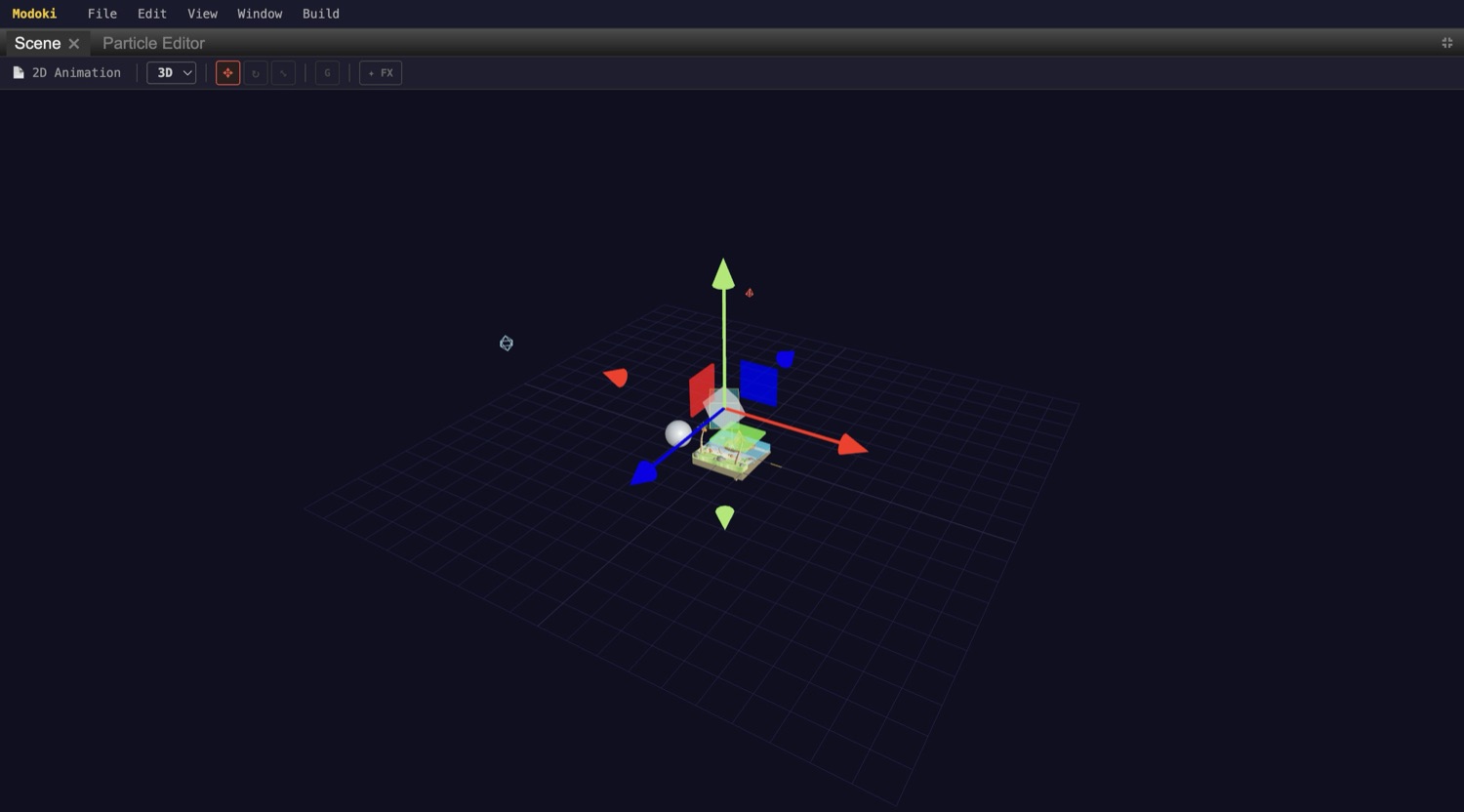
SceneView & gizmos
The orbit viewport: translate/rotate/scale gizmos, world/local space, 3D & UI modes.
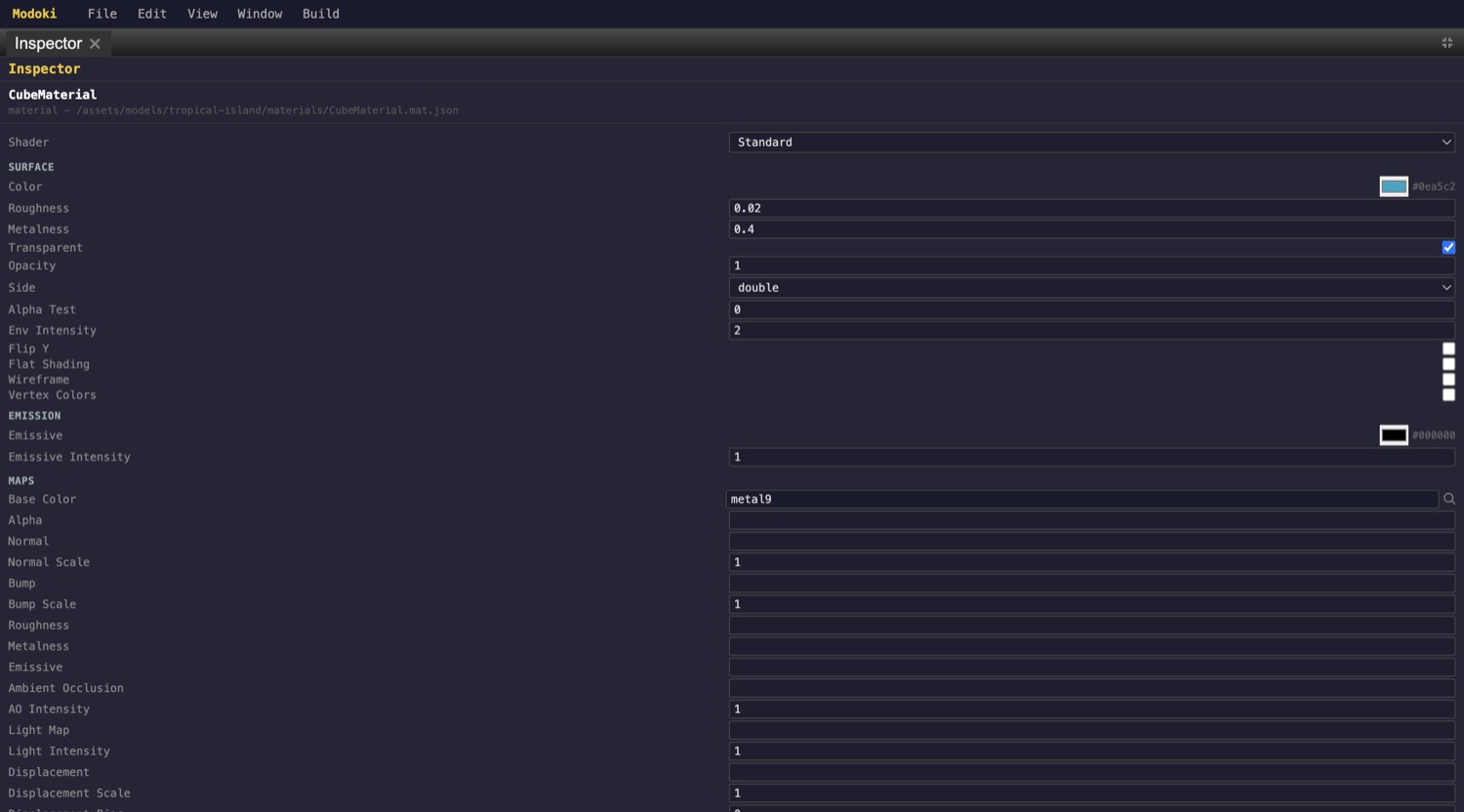
Assets & import
The asset browser, GUID references, and the material / texture / model inspectors.
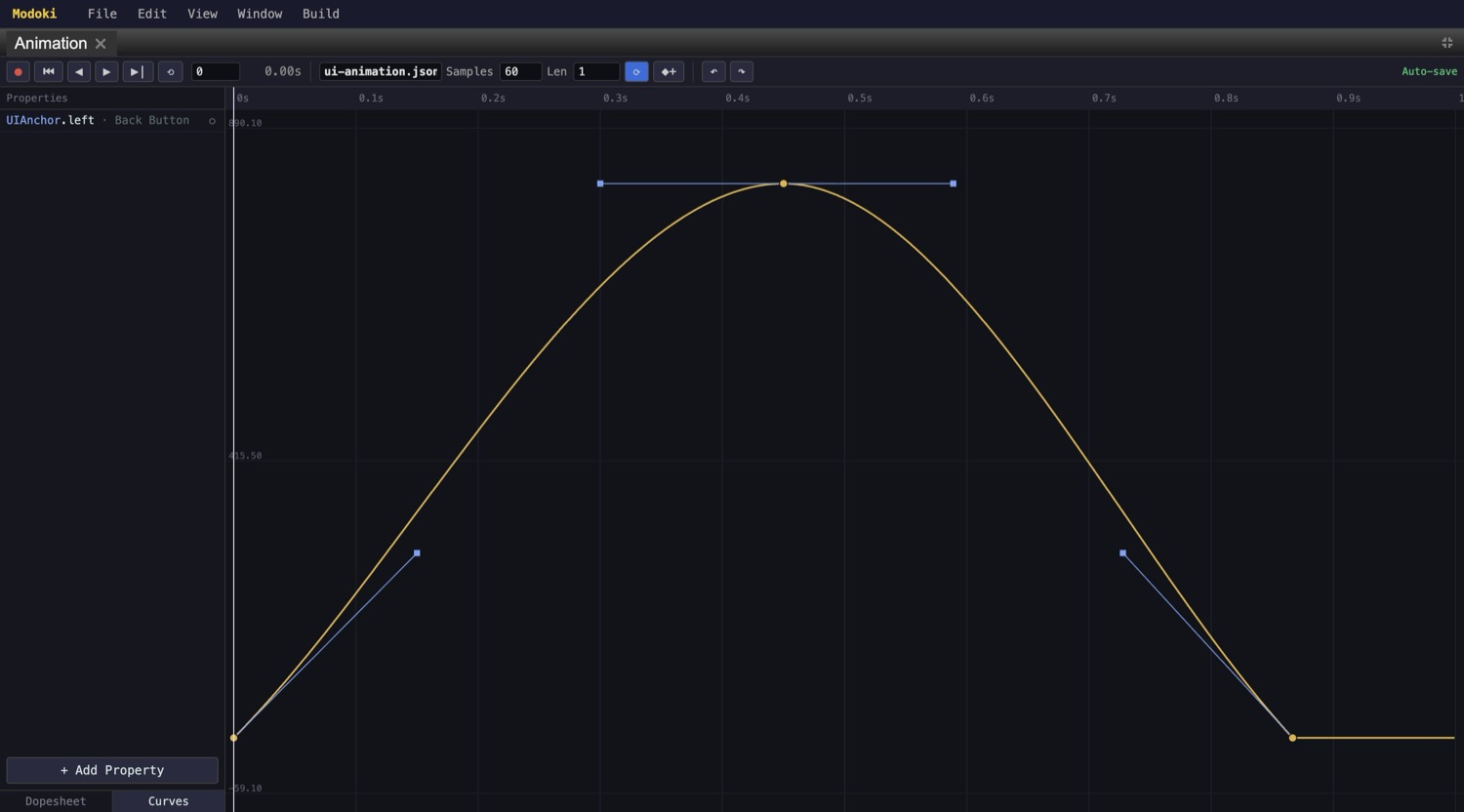
Animation & curve editor
Keyframe any trait field — Dopesheet timing, Bezier tangent handles, easing presets, live scrubbing.
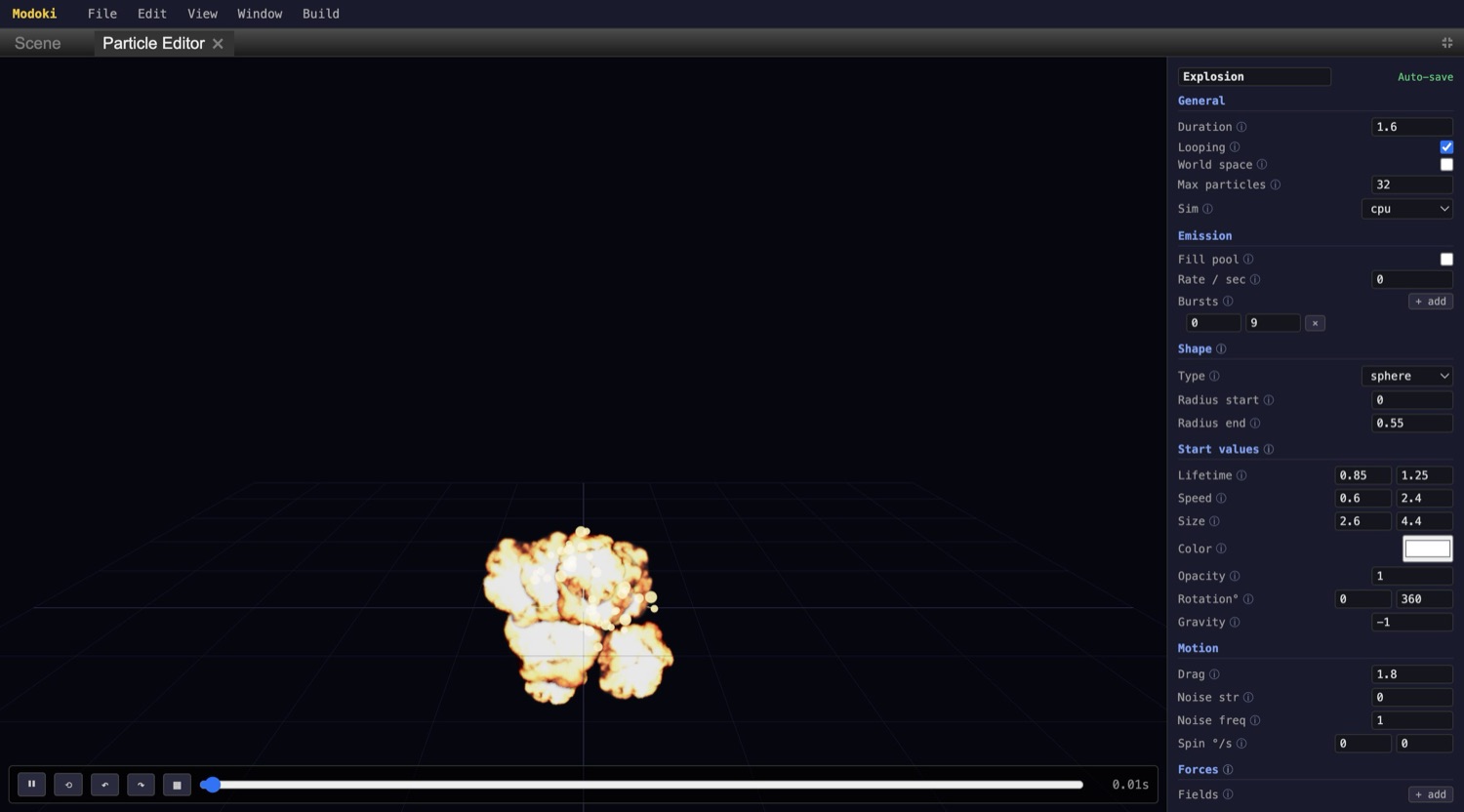
Particle editor
Author effects with a live preview — emission, shape, over-life curves, motion, forces.
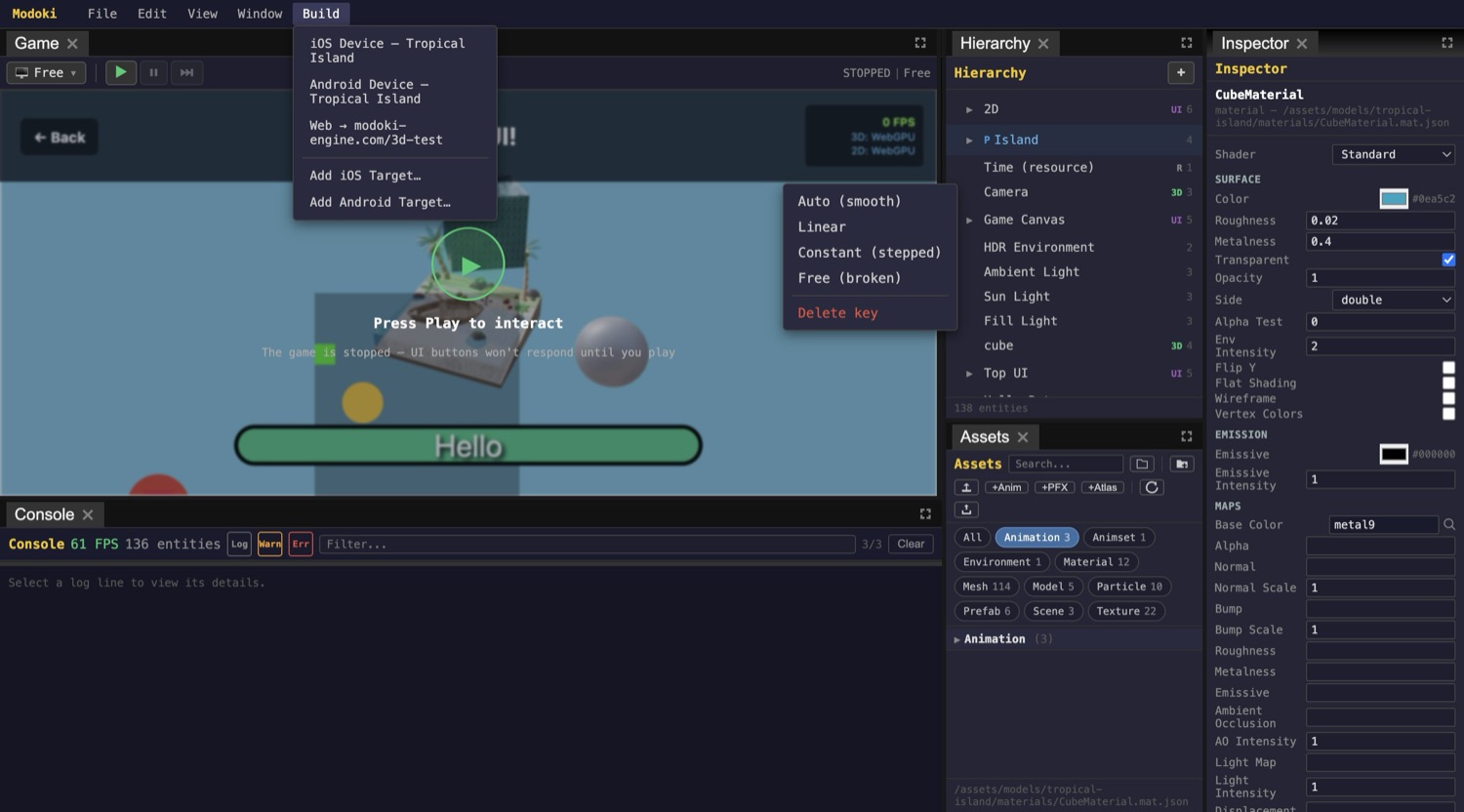
Build & deploy
Ship one TypeScript codebase to iOS, Android, and the web from the Build menu.
Modern foundations, no surprises.
Tools you already know, composed for real-time game work.
Download Modoki
The desktop editor for macOS and Windows — free while in early access.
Apple Silicon (arm64) · Windows x64. The macOS build is Apple-signed & notarized; the Windows build isn't code-signed yet, so SmartScreen may warn on first launch. New here? Read the guide.